Finally, AI data. I clicked it like a present.
I logged into Search Console last week and there it was. A new line sitting under Performance: “Generative AI features.” Beta badge and everything. After roughly two years of SEOs begging Google for AI data, it had quietly turned up.
I clicked it the way you’d open a present. And because I’ve spent more hours in Search Console than is strictly healthy, it took about three seconds to read the whole story. One number: 730k impressions. That’s it. That’s the report.
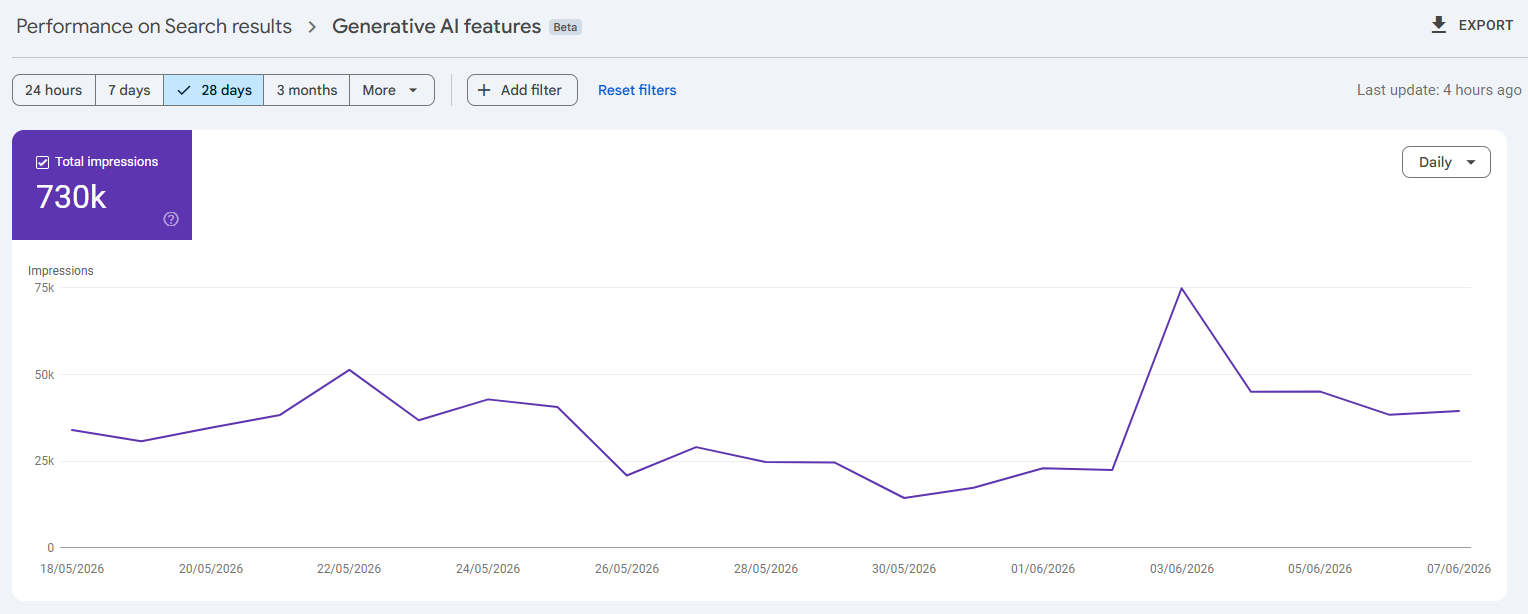
In a normal performance report, impressions and clicks sit side by side like an old married couple. Here, impressions turned up on their own and clicks didn’t even get an invite. No queries, no CTR, no position. The tabs along the top — Pages, Countries, Devices, Dates — just reshuffle the same impression count into different piles. It’s an open dashboard with one card on the table.
What the report actually is (let’s be fair first)
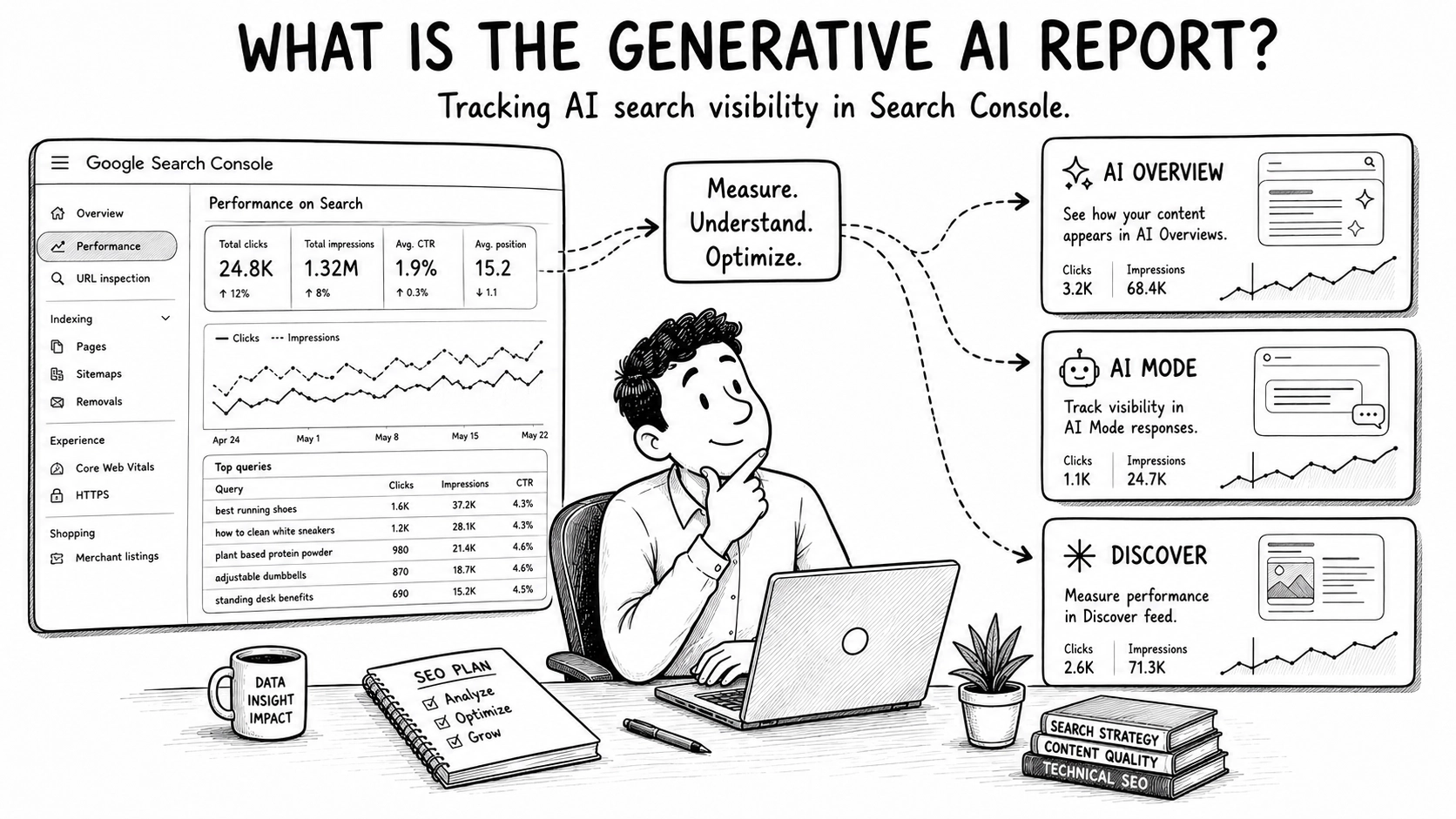
Before I get grumpy, credit where it’s due. The report does exactly what Google says it does. It shows impressions — how often links to your pages turned up in generative AI features on Search — and you can break that down by Pages, Countries, Devices and Dates, right down to hourly granularity. For a brand-new beta, that genuinely isn’t nothing.
Context matters here too. These features are massive now: AI Overviews has passed 2.5 billion monthly users and AI Mode is over a billion. Knowing how you show up in them isn’t a nice-to-have any more. So a dedicated report was always going to be welcome.
Here’s the catch, and it’s straight from Google’s own documentation. The Search report covers AI Overviews and AI Mode together. Discover gets its own separate report, fine. But within Search, the two big AI surfaces are merged into one figure, and there is no dimension to pull them apart.
So when I look at that 730k, I honestly cannot tell you how much came from AI Overviews versus AI Mode. They are very different experiences. One sits at the top of a normal search. The other is a full conversational back-and-forth. Lumping them together is a bit like reporting “website visits” without saying which came from Google and which came from a billboard.
The “from where” problem (honest analysis of almost nothing)
This is the part of the article where I’m supposed to dig into the data and pull out clever insight. The trouble is there’s almost nothing to dig into.
I can see which of my pages picked up the most impressions. That’s mildly interesting. But impressions on their own are a vanity metric wearing a smart suit — a big number that feels lovely and tells you almost nothing.
Think about what I actually can’t see. I can’t see which query triggered the appearance. I can’t see whether anyone clicked. I can’t see the position, the click-through rate, or whether a single impression turned into a sale. The page “appeared.” Did it do anything? Google isn’t saying.
Now try reporting that to a stakeholder
Picture the client call. “Great news — we picked up 730,000 impressions in Google’s AI features this quarter.” And then the first question back, every single time: “From what? Did people click? Did we actually sell anything?”
And I have to sit there and say… not really, no. I don’t have the queries. I don’t have the clicks. I can’t prove a single one of those impressions did anything other than briefly exist. That is a fun call to be on. The report tells me we were in the room. It doesn’t tell me anybody heard us.
“But surely you can track some of it in GA4?” Sort of. And “sort of” is doing a lot of heavy lifting in that sentence.
What about GA4? Sort of — but I wouldn’t bet a report on it
I do have a workaround, and I’ll be honest about how shaky it is. In GA4 I’ve built a custom Explore report that breaks the referral channel down by source and medium. That does show AI tools coming through as referrers — ChatGPT, Claude and the others turn up by name.
Sounds useful. It mostly isn’t. The numbers are nowhere near accurate, and they’re almost certainly under-counting, because plenty of AI traffic lands with no referrer attached at all. So the picture is real, but it’s a sliver of the true story rather than the whole thing.
GA4 has also started surfacing its own “AI assistant” data lately. The catch? It doesn’t match what my custom Explore report tells me. Two reports, same property, same dates, two different answers. When your own analytics can’t agree with itself, you can’t exactly carry it into a client meeting and call it the truth.
There’s a tidier version of this, to be fair. You can plug GA4 into Looker Studio, and there are plenty of ready-made templates built specifically to track AI referrals — they make the whole thing look lovely on a dashboard. But a pretty dashboard sitting on top of shaky data is still shaky data. It reports confidently; it just isn’t right.
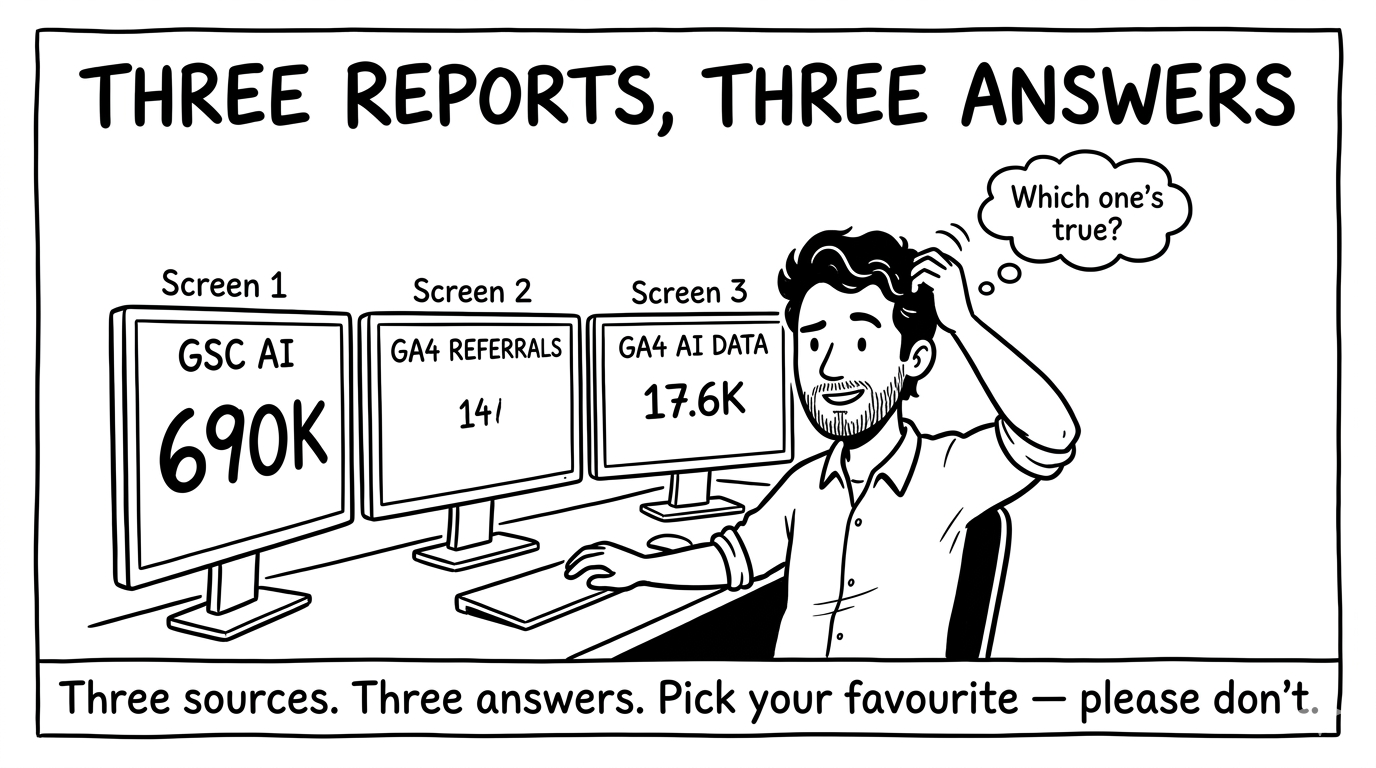
And none of it lines up cleanly with the GSC AI impressions either. So I’ve got three sources — GSC, GA4 referrals, GA4’s AI data — and all three tell slightly different stories. I could pick whichever one makes the quarter look best. I won’t. But the temptation is right there on the screen.
Meanwhile, over on Bing
Here’s the bit that stings a little. I pulled the same site’s data out of Bing Webmaster Tools. Same brand, same month. Bing’s AI Performance report shows me total citations — how often my pages were cited in AI answers. It even tells me the citation sources: Microsoft Copilot and its partners, so it’s not pretending to cover the whole AI landscape.
And before anyone decides Bing has cracked the whole thing — it doesn’t give me clicks either. Same gap as Google on that front. So neither of them can tell me whether an AI mention actually sent anyone my way.
But it does the one thing I keep wishing Google would: it shows me the grounding queries — the actual things people asked that pulled my pages into AI answers. There’s a separate view for cited pages, too. Now, Bing doesn’t join the two up for you; the queries sit in one tab and the pages in another. But because I know my own site inside out, I can do that mapping myself — see a query, and work out which page it pulled in and roughly why.
It’s not a clean, GSC-style report, mind. You do have to do some of the joining-up in your own head. Bing launched this back in February 2026 and has kept building on it since. So it’s far from perfect — but it’s a good few steps ahead of Google’s AI report.
Before you come for me in the comments…
I know. It’s a beta. And to be fair to Google, there genuinely is a technical reason this is harder for them than it looks.
It’s called query fan-out. In old-school search, one person types one query, so “which query cited this page” is a clean question. AI Mode doesn’t work like that. When you ask it something, it quietly breaks your question into loads of smaller background queries, runs them all, then stitches an answer together. So “which query” suddenly gets fuzzy — do they mean the thing you typed, or the dozen things the machine invented behind it?
That’s a real complication, and I’ll give them that. But “harder than it looks” is not the same as “impossible.” Bing deals with fan-out and still surfaces grounding queries. Google already holds every query in the standard performance report. The honest read is that they could show more, and they’ve chosen to start small.
There’s also a less flattering reason worth saying out loud. Clicks are the sensitive number. Showing AI-feature click data would put a hard figure on how much AI Overviews are quietly eating into click-through, and that’s not a stat Google has any commercial reason to hand publishers. It’s also worth noting this whole release is being nudged along by the UK’s competition regulator, which is exactly why it’s UK-first. Read into that what you like.
Oh, and there’s an off switch now
Bundled into the same release is a second thing worth knowing about: a control that lets you decide whether your site appears in Search generative AI features at all. You’ll find it under Settings → Search generative AI, and it takes effect on 17 June 2026. Until then you can set it without anything actually changing.
It’s a simple include-or-exclude choice, and the default is “Include,” so you’re opted in unless you say otherwise. Settings are inherited down to child properties, and you need owner-level access to change anything. Pick “Exclude” and your links and content stop appearing in AI Overviews and AI Mode — no impressions, no traffic from those features. Helpfully, Google does confirm this isn’t used as a ranking signal anywhere else in Search, so opting out won’t quietly tank your normal listings.
Here’s the thing though. For most commercial sites, “Exclude” is a big red button you probably shouldn’t press. With AI Overviews sitting in front of billions of searches, opting out is close to opting out of a huge slice of Search itself. It’s there for the few who genuinely want it — most people should leave it well alone.
And there’s a lovely irony in it. Google will hand you a confident on/off switch for your AI visibility, but it won’t show you the click data that would tell you what you’re switching off. You can turn the tap off. You just can’t see how much water was coming through it.
What we actually need (the SEO wish list)
Right, enough grumbling. Here’s what would turn this from a vanity metric into something I can actually do my job with.
- Grounding queries. The single most useful thing on the list. Tell me what people asked to make my page show up. Bing does it. I’d quite like it too.
- Clicks and CTR. Impressions without clicks is half a sentence. I need to know whether appearing meant anything at all.
- An AI Overviews vs AI Mode split. They behave differently and they convert differently. I can’t build a strategy for “both, mashed together.”
- A route to conversions. Even a clean way to segment this traffic in GA4 would let me tie AI visibility to revenue — which is the only number my client truly cares about.
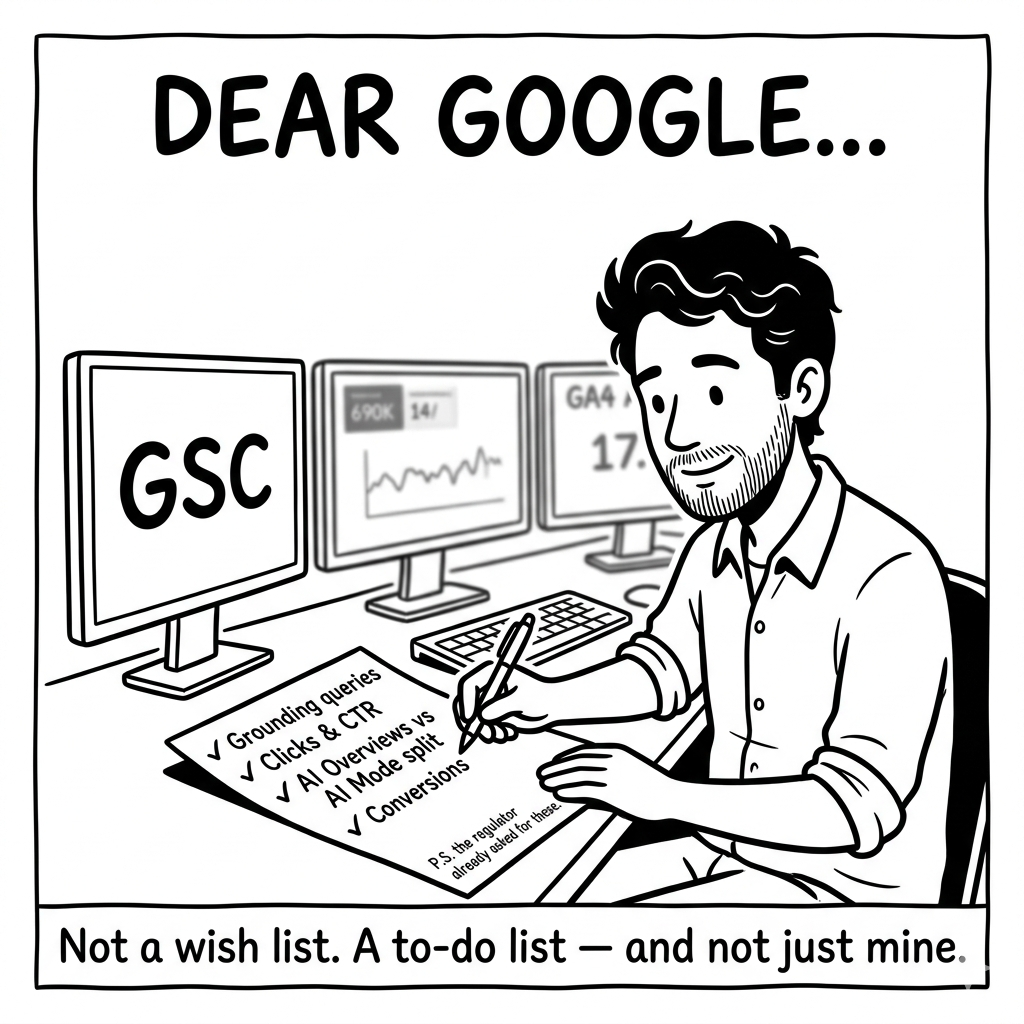
None of this is exotic. It’s the same data we’ve had for normal search for over a decade. We’re just asking for it back, in the new context. And here’s the kicker: the clicks and CTR aren’t only on my wish list. The UK regulator’s own requirements actually name click-throughs and click-through rate as data Google should provide, separated from organic, through something like Search Console. So the missing metrics aren’t a nice-to-have I dreamed up — they’re sitting on Google’s legal to-do list. Impressions just arrived first.
So where does that leave us?
Honestly, in a better place than last month — and I don’t want to be the bloke who moans at a free gift.
But I’ll be straight about what I can and can’t do with it. Right now, I can tell a client they were seen in Google’s AI search. I can’t tell them whether it mattered. And in this job, “mattered” is the only part anyone’s actually paying for.
And learning to report this stuff is now just one more thing on the pile — part of the SEO job quietly expanding whether any of us signed up for it or not. AI search reporting wasn’t in the job description two years ago. It is now.
It’s a start, and starts count. I just hope the next chapter turns up before the stakeholders get to their second question.